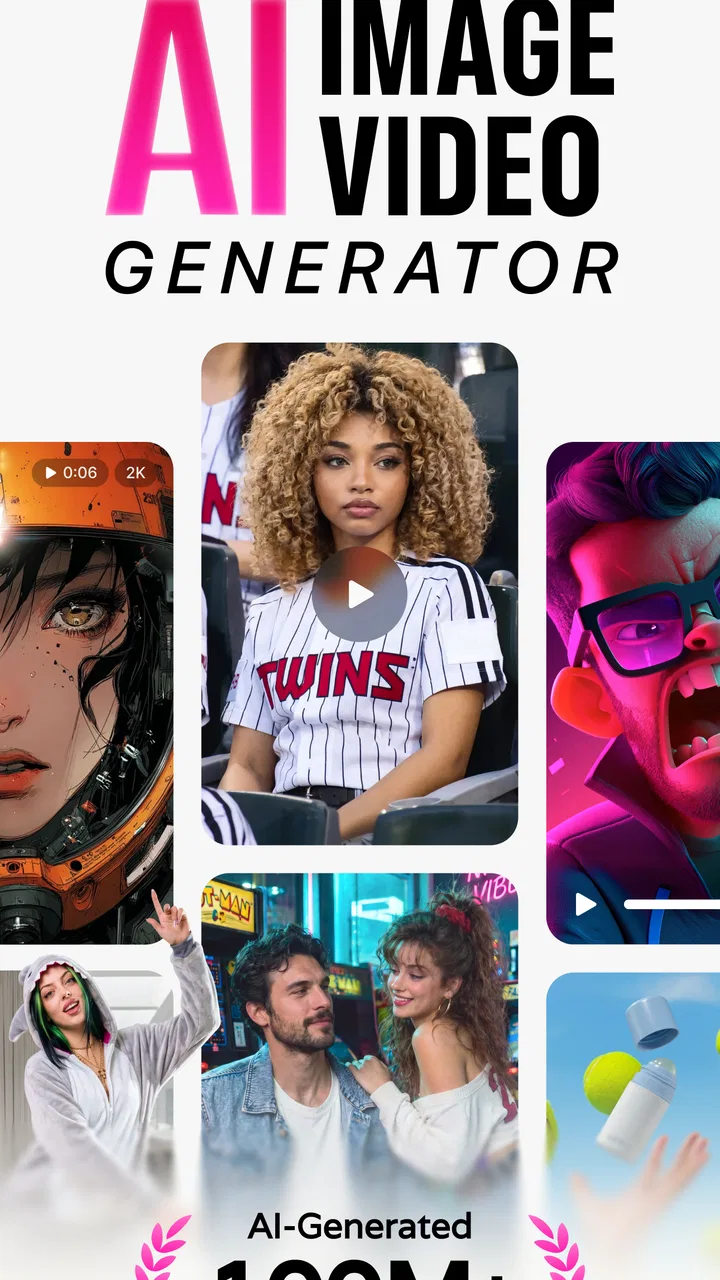
DaVinci - AI Image Generator
- 3.6
- Rating
- 10.00M
- Installs
- Free
- Price

 Analysis by App-foxy
I approached DaVinci - AI Image Generator as a quick creative tool rather than a replacement for a full drawing studio. Its basic idea is simple: I type a description, and the app turns that prompt into an AI-created image or painting. That makes it appealing when I have a visual idea but not the drawing skills, time, or patience to build the image manually.
In everyday use, the experience sits somewhere between a sketchbook, an inspiration board, and a prompt-driven art experiment. I can start with a broad thought, see what the generator makes of it, then adjust the wording and try again. The results are most useful when I treat them as starting points instead of expecting a perfect finished illustration on the first attempt.
Developed by HubX, the app belongs to the Art & Design category and is free to install. It is rated for Everyone, which makes it approachable for casual users, students, hobbyists, and families exploring AI artwork together. The app has reached over ten million installs, while its average rating is around 3.6 from roughly 184 thousand ratings. That combination tells me it has broad appeal, but also that the experience is not equally satisfying for everyone.
You May Also Like

 Blood Strike: 2.5 Anniversary
Blood Strike’s Loadouts Turn Every Drop Into a Tactical Gamble
A close look at Blood Strike’s custom loadouts: how fast access to signature weapons reshapes its battle royale rhythm, rewards preparation, and narrows the gap between fights.

 Pandora - Music & Podcasts
Pandora’s Music Is Easy to Start, but Harder to Recover
Pandora’s strength is its low-effort path from a seed to a station. Its weak spot is how much confidence it asks you to place in connection, setup, and quiet recovery.

 8 Ball Pool
 Is Built on Rivalries, Rematches, and Routine
A close look at the rivalries, rematches, shared routines, and unanswered safety questions that turn a quick pool match into a persistent mobile community.

 Samsung Music
’s Quiet Strength Is Playing What You Already Own
Its reach comes less from spectacle than from dependable access to a personal library. That simplicity is both the app’s strongest retention engine and its ceiling.

 AccuWeather: Weather Radar
AccuWeather Review: A Quick, Clear Forecast for Everyday Decisions
For everyday plans, the best forecast is the one you can understand quickly. AccuWeather makes rain timing, radar, and local conditions easy to act on, with a few trade-offs.

 Hill Climb Racing
Why Hill Climb Racing Still Turns Crashes Into One More Run
A tiny car, a bumpy hill and one more upgrade: Hill Climb Racing keeps resurfacing because its simple chaos makes every near-miss feel personal.
More From Our News Desk



What I considered before recommending it
The first question is not whether AI can make attractive pictures. It can. The more useful question is whether this particular workflow suits the way you want to create. DaVinci is a good fit if you want to describe an idea in ordinary language and quickly receive visual interpretations. It is less suitable if you need precise control over anatomy, layout, lettering, layers, or repeatable character designs.
I also considered how much effort the app saves compared with familiar alternatives. A traditional drawing app gives me a blank canvas and detailed control, but it expects me to supply the drawing ability and the time. A stock-image search is faster for realistic subjects, but it may not match a very specific fantasy, mood, or composition. An AI generator occupies the middle ground: it offers speed and imagination, but the output can be unpredictable.
That trade-off becomes especially important when the image has a practical job. For a private mood board, social post concept, phone wallpaper, or writing prompt, an imperfect result can still be useful. For a business logo, product diagram, exact poster, or image containing readable text, I would be much more cautious. The app can help me explore the direction, but I would not rely on it alone for work where every visual detail matters.
How the prompt workflow feels
The most important skill is learning to describe the image in layers. Instead of entering a vague phrase such as “a beautiful castle,” I get more useful results by combining the subject, setting, atmosphere, viewpoint, and visual treatment. For example, I might describe an old stone castle above a foggy valley, viewed from a low angle, with warm window light and a painted storybook feeling.
This does not guarantee a particular outcome, but it gives the generator more direction. I found that adding too many competing ideas can make the result muddy. If I ask for a futuristic city, a medieval market, a watercolor landscape, and a photorealistic portrait in one prompt, the app has to reconcile several different visual goals. A shorter prompt with one clear subject often produces a stronger starting point.
My practical advice is to change one part of a prompt at a time. If the first image has the right subject but the wrong mood, I would keep the subject and adjust the atmosphere. If the composition is good but the style feels flat, I would change the artistic treatment rather than rewriting everything. This makes it easier to understand which words are actually influencing the result.
The best results come from treating each generation as a visual conversation, not a one-line command. I use the first image to discover what the app understands, then refine the description based on what I see. That approach is more productive than repeatedly pressing generate while making random changes.
Where the app is genuinely strong
Its biggest advantage is the low barrier to entry. I do not need to know how to use brushes, masks, perspective guides, or advanced editing panels before making something. Someone who has never opened a design program can still turn a mental picture into a visual reference within a short session.
That speed is valuable for early-stage ideas. When I am writing a short story, planning a themed party, imagining a room makeover, or preparing a presentation concept, I often need several visual directions rather than one polished final asset. The generator is well suited to that kind of exploration because it encourages me to compare moods and compositions quickly.
It is also useful when the desired image is unusual. Traditional image searches work best when the thing already exists in a recognizable form. An AI art tool can attempt combinations that would be difficult to locate, such as a quiet underwater library lit by floating lanterns or a botanical greenhouse on a distant planet. The output may not be perfect, but it can communicate the idea more effectively than a paragraph of explanation.
Another strength is its value as a prompt-learning tool. I can see how changes in wording affect the visual interpretation. Over time, that teaches me to think more clearly about composition, color, subject placement, and atmosphere. Even when I do not keep the generated image, the process can help me articulate what I want from a later drawing or commissioned design.
Realistic everyday uses
Imagine I am making a birthday invitation for a child who wants a space theme. I could use the app to explore several possible backgrounds: a colorful rocket launch, a friendly moon landscape, or a group of cartoon planets. I would then choose the visual direction and add the actual event details in a separate editor. That last step matters because generated images are not the right place to trust important names, times, or addresses.
For a small online shop, the app could help create an early concept for seasonal packaging or a social-media background. I would use it to discuss a mood with a designer, not as proof that the final commercial artwork is ready. This distinction saves time: the AI image communicates the direction, while a human-made final design handles consistency and accuracy.
Writers can use it to visualize a character or setting before drafting. Teachers and students may find it helpful for creative exercises, provided the image is treated as an illustration of an idea rather than unquestionable evidence. I can also see value for personal projects such as journaling, digital collages, themed wallpapers, and private inspiration collections.
For portraits, I would lower my expectations. AI-generated faces can look appealing at first glance, but small details may feel inconsistent, especially when I need the same person to appear across several images. If continuity is central to the project, a conventional illustration workflow or a dedicated character-design process may be more dependable.
Limitations that affect the decision
The main limitation is control. I can describe what I want, but I am not placing every object manually. A result may have the right atmosphere while putting the subject in the wrong position. It may capture a color palette but miss an important object. This is the normal tension of prompt-based creation, and it means I should not choose the app for tasks that depend on exact geometry.
Text inside generated artwork is another weak point. If I ask for a poster with a title, the lettering may be distorted, incomplete, or visually inconsistent. My workaround is to generate the background without text, then add words using a normal design or presentation app. This two-step workflow takes longer than a single generation, but it produces a much more usable result.
There is also a learning curve hidden behind the simple interface. The controls may feel easy, yet getting repeatable results requires patience. I need to learn which descriptions produce too much clutter, which artistic terms are interpreted loosely, and when it is better to start a fresh prompt instead of endlessly editing an unsuccessful one.
The rating of around 3.6 suggests that prospective users should keep expectations realistic. The app is popular, but popularity does not mean every generation will be impressive or every part of the experience will feel equally smooth. My own recommendation is to judge it by the value of rapid experimentation, not by whether it consistently creates professional artwork without revision.
How it compares with familiar alternatives
Compared with a standard drawing app, DaVinci is faster at producing a complete visual concept. A drawing app wins when I want to control every stroke, preserve editable layers, or build a composition gradually. If I already enjoy drawing on a tablet, the AI generator may be more useful as a reference source than as my main creative workspace.
Compared with template-based design tools, it offers more freedom at the idea stage. Templates are better when I need a clean social post, flyer, or invitation with predictable text placement. DaVinci is better when the background itself is difficult to find in a template library. I often see the strongest workflow as a combination: generate an imaginative image first, then assemble the finished layout elsewhere.
Compared with stock photography, the app is more flexible for fictional or highly specific scenes. Stock images remain preferable when I need a realistic photograph of a common subject, a trustworthy editorial image, or a polished picture that requires little correction. AI-generated art can look distinctive, but it may also include visual oddities that require inspection before sharing.
Compared with a professional image editor, DaVinci removes much of the technical work but gives up precision. A professional editor is the better choice for retouching, compositing, color-managed production, and exact brand requirements. I would use this app before that stage, especially when I am still deciding what the final image should feel like.
Free access and the cost of continuing
The app is free to install, which makes trying the basic concept relatively easy. However, in-app purchases range from $2.99 to $349.99 per item. That is a wide span, so I would pay close attention to the purchase screen and the wording around any premium access before confirming anything. A free download should not be confused with unlimited use at no cost.
My advice is to test the workflow with a clear personal project before spending money. If the first few sessions do not produce images you can actually use, purchasing more access is unlikely to solve the underlying problem. The issue may be that the app does not provide the level of control you need, rather than that you simply need more generations.
I would also keep a simple record of which prompts work well. That makes paid experimentation more purposeful because I am refining a method instead of generating images without a plan. Saving the wording that produced a useful composition can reduce wasted attempts and help me return to a visual direction later.
Practical tips for better results
Start with the purpose of the image. A prompt for a phone wallpaper should mention a composition that leaves comfortable empty space for icons, while a prompt for a profile image should focus on a clear central subject. Thinking about where the image will be used before generating it prevents a common disappointment: receiving a beautiful picture that is cropped badly for the intended format.
Separate subject from style. I get clearer results when I first establish what is in the scene, then describe the mood or artistic treatment. Mixing every possible adjective into one sentence can make the output less coherent. If the subject is already right, I change only the style language in the next attempt.
Inspect small areas before accepting an image. Hands, faces, repeated objects, signs, and fine architectural details deserve a closer look. A picture can appear convincing in a thumbnail while revealing distracting errors when enlarged. This is especially important if I plan to print it or use it in a public post.
Finally, use the app for ideation when precision is expensive. I find its strongest role is helping me answer questions such as “What mood should this project have?” or “Which visual direction feels right?” Once those questions are settled, another tool may be better for exact editing, typography, cleanup, and final delivery.
Who should use it and who should skip it
I would recommend DaVinci to curious beginners, casual creators, writers, students, and anyone who wants to turn a verbal idea into an image without learning a full illustration program. It is particularly attractive for people who value speed and variety more than perfect repeatability.
I would be more hesitant to recommend it as the main tool for professional branding, technical diagrams, detailed product mockups, or projects requiring the same character and layout across many images. Those users should begin with a tool that offers stronger manual control, then consider AI generation only as part of the brainstorming stage.
It may also be a poor match for someone who dislikes trial and error. Prompt-based art rewards experimentation, and the result can vary from one attempt to the next. If the appeal is simply “I want the exact image in my head immediately,” frustration is likely. The app works better for users willing to guide the process and judge several interpretations.
My recommendation after using it
DaVinci - AI Image Generator is worth trying if you want a friendly entry point into AI artwork and understand that the first result is usually a draft rather than a finished commission. HubX has positioned it for broad access: it is free to install, available to an Everyone audience, and compatible with Android versions starting at 7.0. The current version is 4.4.1, so keeping the app updated is sensible when testing its workflow.
I like it most as a fast idea generator. It helps me move from a vague concept to something visible, which is often the hardest part of a creative project. Its value is less about replacing artists and more about shortening the distance between imagination and discussion. I can show a rough direction, notice what feels wrong, and make better decisions about the final design.
My final advice is to try it with one specific project, use focused prompts, and keep a separate tool ready for text and precise finishing. If that combination fits your habits, the app can become a useful part of your creative process. If you need exact control, dependable typography, or production-ready consistency, I would choose a conventional design workflow instead and use AI art only where experimentation is the goal.
FAQs for DaVinci - AI Image Generator
01What is DaVinci - AI Image Generator and how does it work?
DaVinci - AI Image Generator is an innovative app designed to create stunning images using artificial intelligence. By inputting keywords or choosing from predefined themes, the AI processes your request to generate visuals that match your description. It’s perfect for artists, designers, or anyone looking to explore creative possibilities without needing advanced design skills.
02Is DaVinci - AI Image Generator free to use?
The app offers a free version with limited features, allowing users to explore basic functionalities. However, for more advanced tools and customization options, a premium version is available through in-app purchases. This tiered pricing model ensures that users can choose the level of access that best fits their creative needs and budget.
03What platforms is DaVinci - AI Image Generator available on?
DaVinci - AI Image Generator is available for both Android and iOS devices, making it accessible to a wide range of users. The app can be downloaded from the Google Play Store for Android devices and the Apple App Store for iOS devices, ensuring seamless integration and usability across platforms.
04Can DaVinci - AI Image Generator create high-resolution images?
Yes, DaVinci - AI Image Generator is capable of producing high-resolution images. This feature is particularly beneficial for users looking to create professional-quality visuals for print or digital use. The app’s advanced AI algorithms ensure that the images are not only high in resolution but also rich in detail and aesthetically pleasing.
05How secure is DaVinci - AI Image Generator regarding user data?
DaVinci - AI Image Generator prioritizes user privacy and data security. The app employs encryption and other security measures to protect user information. Additionally, it adheres to industry-standard privacy policies, ensuring that personal data is handled responsibly and is not shared with third parties without consent.
Pros
- Intuitive interface for easy navigation.
- High-quality AI-generated images.
- Wide range of styles and themes.
- Regular updates with new features.
- Fast processing and rendering times.
Cons
- Limited free version capabilities.
- Requires stable internet connection.
- Occasional glitches in image output.
- Subscription model can be pricey.
- Some features locked behind paywall.

DaVinci - AI Image Generator
Gallery